

Analytics Dashboard
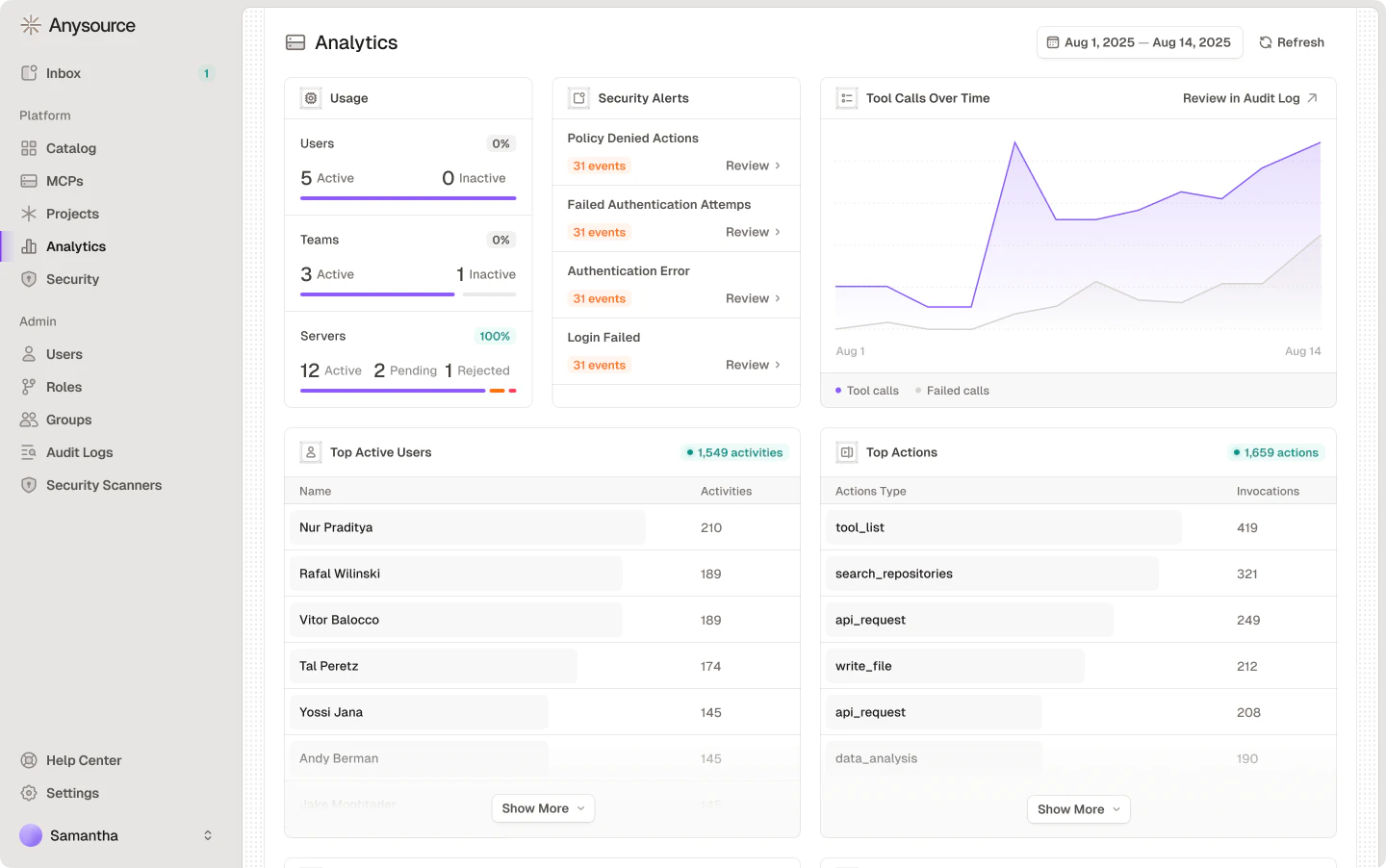
Overview
Usage — counts and trends for:- Users: Active vs inactive
- Agents: Active vs inactive
- Connectors: Active, pending, and rejected counts
Connectors
- Top connectors by tool call: connectors ranked by raw tool call volume
- Connector health: connectors with their success rate percentage
- Connector usage by client: per-connector client breakdown
- Top tools by usage: tools ranked within the connector context
- Top resources: most accessed MCP resources
Skills
- Skills inventory: total, shadow, managed, and outdated counts
- Skills usage over time: usage trend chart showing skill adoption
- Top skills by usage: ranking of the most-used skills across the organization
- Top skill creators: users ranked by number of skills published
- Skill risk assessment: skills ranked by security score with per-skill risk level badges (High, Medium, Low, Minimal, Unknown)
Agents
- Agents inventory: total agents, public vs private breakdown, and agents created in the selected period
- Agent delegation activity: grants vs revokes over time
- Agent cost by model: model ranking by total agent spend
- Agent token usage: input vs output token usage over time, charted across the selected date range
- Agent runs over time: area chart showing agent run volume across the selected date range
- Top agents by cost: agents ranked by total spend
- Top agents by runs: agents ranked by total run count
- Top agents by tool calls: agents ranked by raw tool call volume
Plugins
- Plugins inventory: total, shadow, and managed counts
- Plugin usage timeline: usage trend chart
- Top plugin users: users ranked by plugin activity
- Plugin usage by client: MCP client applications ranked by plugin call volume
Drilling into specific dimensions
Most ranking rows link to a deeper, filtered view:- Connectors: rows in Top connectors by usage, Top connectors by tool call, and Connector health open that connector’s detail page on its metrics tab, showing its own usage breakdown. The Connector usage timeline also offers a per-connector “review in audit log” jump.
- Users and agents: rows in Top active accounts open Audit Logs pre-filtered to that actor and the currently selected date range.
- Security Alerts: each row links to the matching filtered audit log view.
- Skills: rows in Top skills by usage open a preview of that skill.
Related Resources
Audit Logs
Activity history and investigations