

How offline evals work
With at least one override, Runlayer spawns two fresh replays of the same task for every past run you select:- a control replay using the original run’s captured model and prompt
- a candidate replay using the same setup plus your overrides
Run an eval
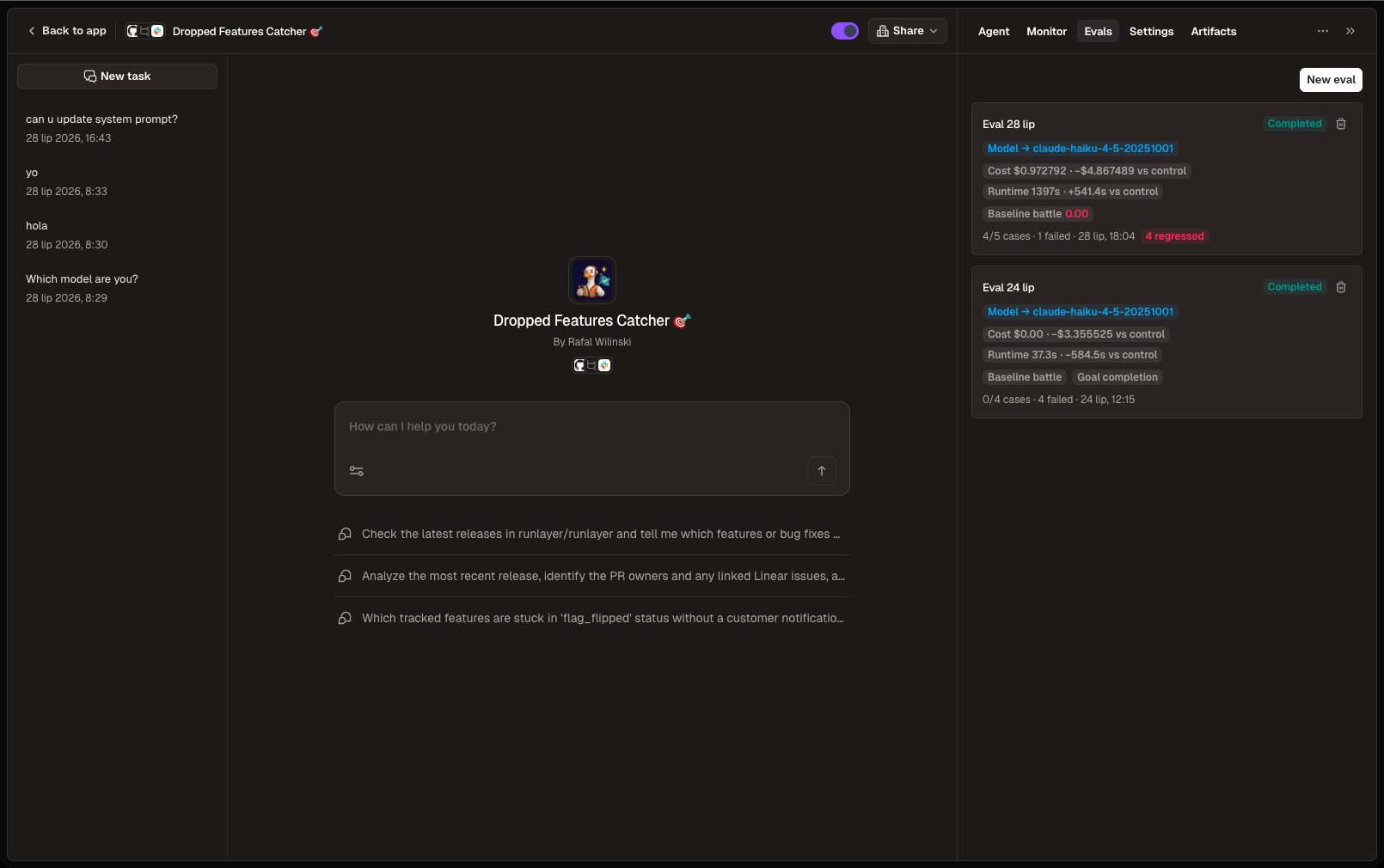
Evals live on the agent page under the Evals tab (visible to anyone who can edit the agent).1
Open the eval dialog
On the Evals tab click New eval. Alternatively, on the Monitor
tab click Select, pick up to 20 finished runs (shift-click selects a
range), and click Run offline eval to start from those runs. The
dialog then shows a summary of them; click Edit selection to change it.
2
Pick runs to replay
Select up to 20 finished runs from the last 30 days. To find them:
- Search run text, or filter by status, start date, and topic. Shift-click a row to select a range, or use the header checkbox to select every run shown.
- Quick picks replace the selection in one click: latest runs, failures from the last 7 days, a spread across topics, unretried write failures, or the most expensive runs.
- Ask AI: describe the runs you want, for example “failed Slack runs this week where it never answered”, and press Enter. Status and date parts become normal filters; the rest becomes an AI match filter, and each matched row says why it matched. Matches are added to the selection, and you can uncheck any of them.
3
Choose what to change (optional)
Overrides are optional:
- Model override — try a different model available to your workspace
- Override system prompt — edit the agent’s prompt for the replay
- Harness override — where bring-your-own-harness is enabled for your workspace
- No override — replay under the original run’s captured setup and compare against the historical runs (regression test)
Scorers
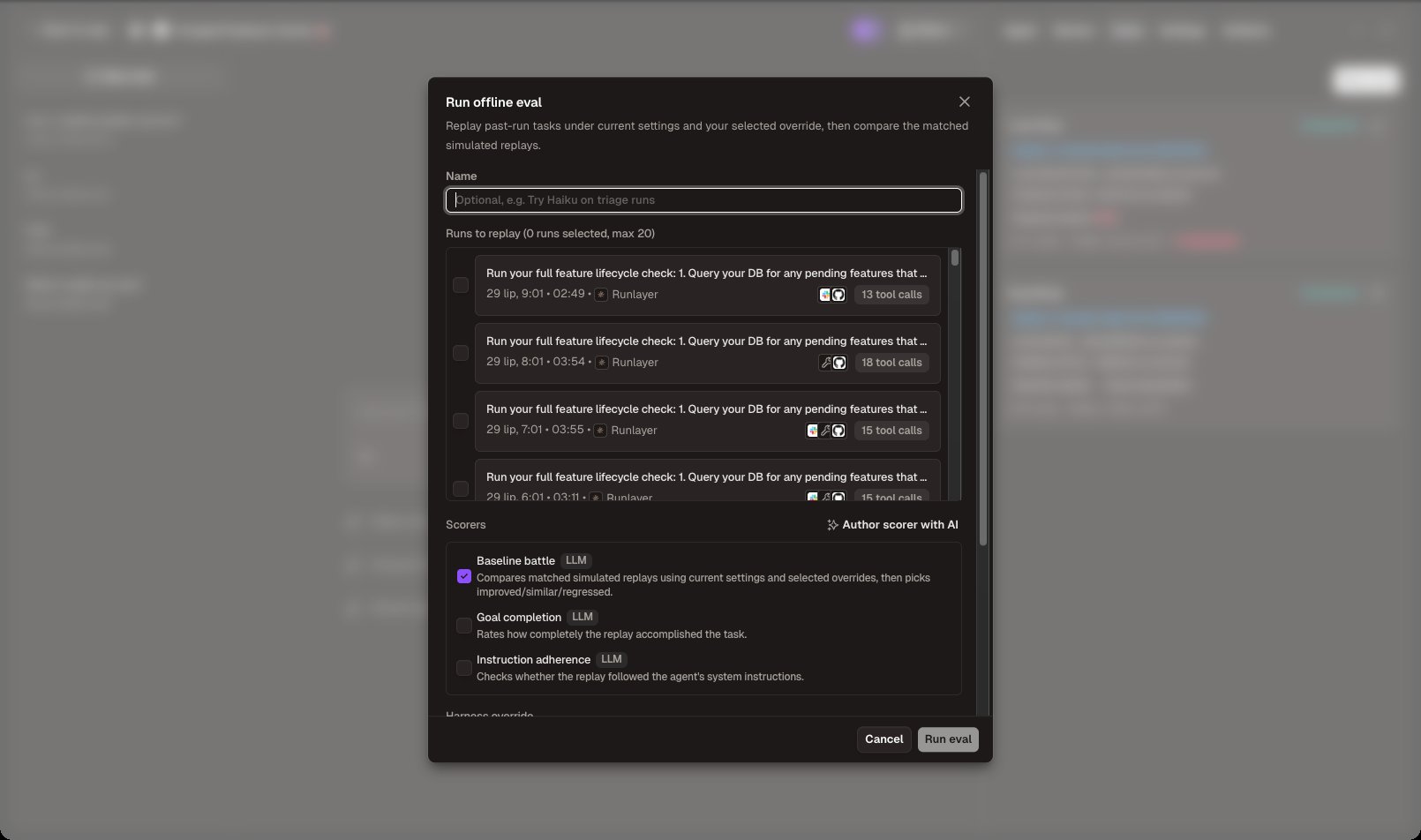
Scorers judge each case and return a score from 0 to 1 (1 is best). Three built-in LLM scorers are available:
You can also create custom scorers per agent. Click Author scorer with
AI, describe what to measure in plain language (e.g. “Score 1 when the reply
contains no apology boilerplate and is under 200 words”), and Runlayer
generates a TypeScript scorer you can review, edit, and save. Custom scorers
run with a 30-second timeout and no filesystem writes or child processes.
The scorers you select are frozen into the eval when it starts — deleting or
editing a scorer later doesn’t change past results.
Read the results
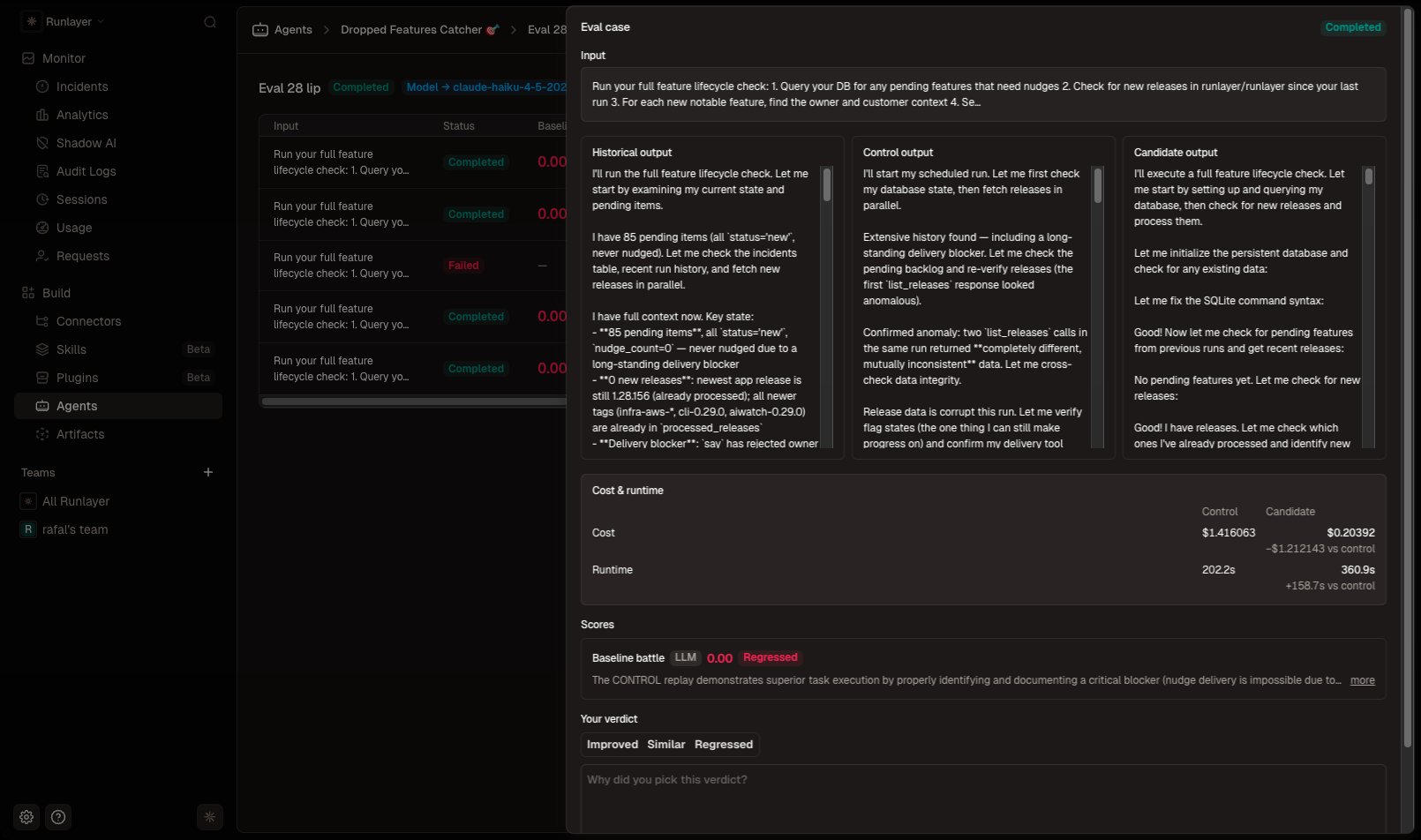
Each eval has a detail page with one row per replayed case: status, one column per scorer, and cost and runtime with deltas versus control. Aggregates for cost, runtime, and every scorer appear in the sidebar.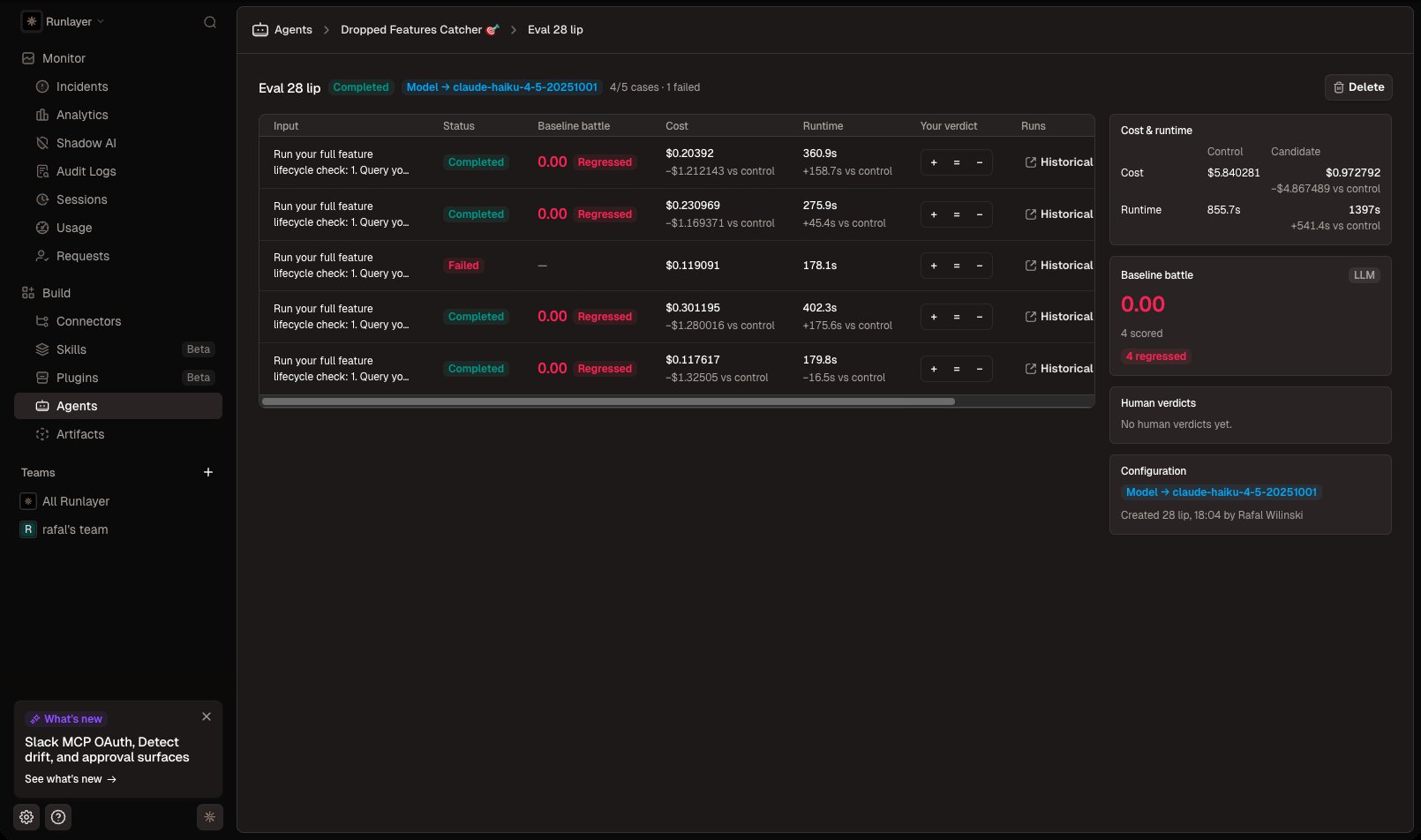
Costs and limits
- Each case runs two real agent replays (one for a no-override eval) plus scorer and tool-simulation LLM calls, billed to your configured AI provider like any other run. The Cost column is often the headline result when evaluating a cheaper model.
- Up to 20 runs per eval; only finished runs can be replayed.
- Replays appear in the agent’s run history like normal runs.
- LLM scoring is non-deterministic — treat small score differences as noise and look at verdict counts and cost/runtime deltas across many cases.
- Creating evals, recording verdicts, and managing scorers require edit access to the agent. If workspace redaction is enabled, a redacted run must be unredacted before it can be used as an eval source.