

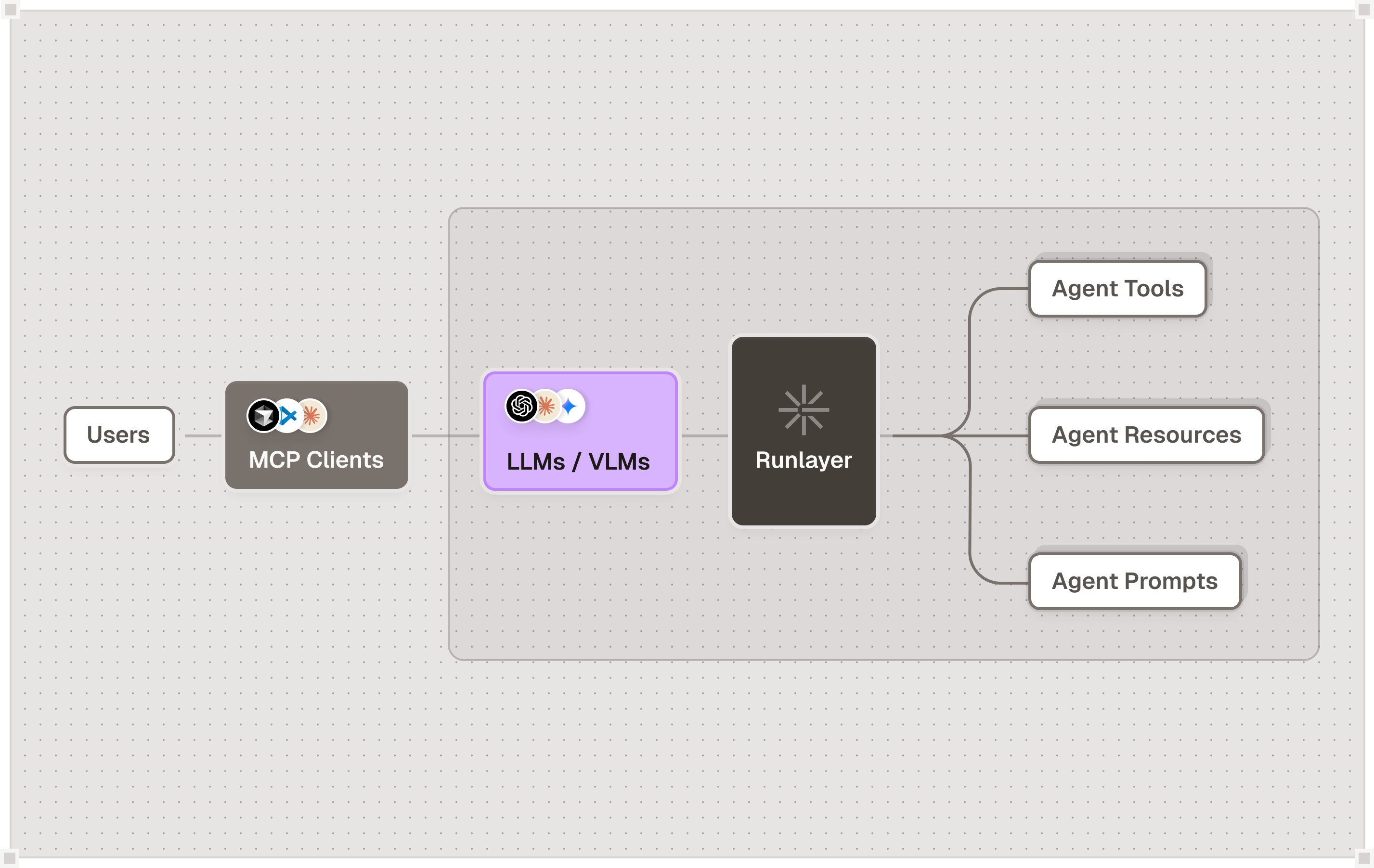
Overview
If you provide MCP servers to customers or partners, you face the same security challenges enterprises face when consuming external MCPs: unauthorized access, data exfiltration, credential theft, and risky requests. The Runlayer platform uses the same security primitives to protect MCP servers as it does to protect organizations consuming MCPs. Deploy your MCP behind Runlayer to control who accesses it, what they can do, and track all activity.Security Threats to MCP Servers
Without protection, your MCP server is vulnerable to:- Unauthorized Access: Anyone with your MCP URL can connect and use it
- Data Exfiltration: Risky users can extract sensitive data through tool calls
- Credential Theft: API keys, OAuth tokens, and secrets can be intercepted
- Abuse: Unlimited requests can overwhelm your infrastructure
- Prompt Injection: Risky prompts that manipulate tool behavior
- Tool Shadowing: Attackers mimicking legitimate tools to extract data
How Runlayer Protects Your MCP Server
Authentication & Authorization
Control who can access your MCP server and what they can do: Multiple Authorization Models:- RBAC (Role-Based): Assign permissions based on user roles (e.g., admin, developer, viewer)
- PBAC (Policy-Based): Define complex conditional policies (e.g., “engineers can only access from Cursor”)
- ABAC (Attribute-Based): Make decisions based on user attributes, context, and MCP server properties
- Require authentication for all MCP connections
- Define which users/teams can access which tools
- Revoke access instantly when users leave or roles change
- Integrate with your existing SSO/identity provider
Real-Time Security Scanning
Block risky requests before they reach your MCP server: Protocol-Aware Detection:- Scans MCP tool calls for injection attacks and risky payloads
- Detects data exfiltration attempts in tool parameters
- Identifies suspicious patterns in prompt requests
- Blocks requests that violate your security policies
- Define scanners specific to your MCP’s tools and data
- Set rules for sensitive operations (e.g., database writes, file access)
- Configure automatic blocking or alerting on policy violations
Complete Audit Logs
Track every interaction with your MCP server:- Every tool call logged with user, timestamp, parameters, and response
- Failed authentication attempts and policy denials tracked
- Tamper-proof logs for compliance and forensic analysis
- Export logs for SIEM integration or regulatory reporting
Rate Limiting & Abuse Prevention
Protect your infrastructure from overload:- Set per-user rate limits (requests per minute/hour/day)
- Configure quotas per tool or resource
- Automatic throttling on suspicious activity
- Block users exceeding limits
Observability & Analytics
Monitor usage and identify security incidents:- Real-time dashboard showing active connections and requests
- Security alerts for policy denials and authentication failures
- Track which tools are being called and by whom
- Identify unusual access patterns indicating compromise
OAuth Proxy (for MCP providers requiring OAuth)
If your MCP needs to connect to third-party services that require OAuth:- Runlayer acts as OAuth proxy to handle provider authentication
- Eliminates need for domain whitelisting at each customer
- Securely stores and manages OAuth tokens
- Automatic token refresh handling
Deployment Architecture
Use Cases
SaaS MCP Providers
You provide an MCP server to customers as a service:- Authenticate customers with API keys or OAuth
- Control which customers can access which tools
- Track usage per customer for billing
- Prevent abuse with rate limits
- Get alerted when customers attempt unauthorized access
- Meet compliance requirements (SOC 2, GDPR) with audit logs
Enterprise Internal MCPs
Your organization provides internal MCP servers to employees:- Require SSO authentication for all MCP access
- Define policies based on employee roles and teams
- Prevent data exfiltration to unauthorized destinations
- Track which employees access sensitive data
- Comply with security audit requirements
- Revoke access when employees leave
Partner/Customer MCPs
You share MCP access with specific partners or enterprise customers:- Issue separate credentials per partner organization
- Define what each partner can access
- Monitor partner usage and enforce SLAs
- Prevent one partner from accessing another’s data
- Track costs per partner for billing
Setup Steps
Register Your MCP Server
Add your MCP server to Runlayer as a custom MCP, providing:
- MCP server URL
- Authentication requirements
- Environment variables/configuration
Configure Access Policies
Define who can access your MCP:
- Create user accounts or integrate SSO
- Assign roles and permissions
- Set up access policies (RBAC/PBAC/ABAC)
Enable Security Scanning
Configure security rules:
- Enable built-in scanners (injection detection, exfiltration detection)
- Define custom rules for your MCP’s tools
- Set up alerts for security violations
Set Rate Limits
Prevent abuse:
- Configure per-user rate limits
- Set quotas per tool or resource
- Define throttling policies
Performance Considerations
Latency: Runlayer adds minimal overhead to MCP requests (~10-50ms), primarily from:- Authentication verification
- Policy evaluation
- Security scanning
- Audit log writing
FAQ
Does this work with my existing MCP server?
Does this work with my existing MCP server?
Yes. Runlayer works with any MCP-compliant server without requiring code changes. Your MCP server continues to run as-is, and Runlayer sits in front of it handling authentication, authorization, and security.
What's the performance impact?
What's the performance impact?
Runlayer adds 10-50ms of latency per request for authentication, policy evaluation, and security scanning. Self-hosted deployments in the same region as your MCP minimize this overhead.
How do I integrate with my existing identity provider?
How do I integrate with my existing identity provider?
Runlayer integrates with identity providers via OAuth 2.0 and SAML. Users authenticate with your existing SSO (Okta, Auth0, Azure AD, etc.) and Runlayer enforces access policies.
Can I use this for internal and external users?
Can I use this for internal and external users?
Yes. Define separate policies for internal employees (authenticated via SSO) and external customers/partners (authenticated via API keys or OAuth). Each group can have different permissions and rate limits.
What happens if Runlayer goes down?
What happens if Runlayer goes down?
Your MCP becomes inaccessible since all requests route through Runlayer. For high availability, deploy Runlayer in a redundant configuration with multiple instances behind a load balancer.
How are security violations handled?
How are security violations handled?
When security scanners detect violations (injection attempts, data exfiltration, policy violations), Runlayer:
- Blocks the request (returns 403 error)
- Logs the violation in audit logs
- Triggers security alerts
- Can automatically block the user after repeated violations
Next Steps
Deployment
Deploy Runlayer and protect your first MCP server
Custom MCP Servers
Build and deploy custom MCP servers
Platform Policies
Configure authorization policies (RBAC/PBAC/ABAC)
Security Best Practices
Comprehensive security guidelines for MCP deployments