

This guide requires Jamf Pro. Jamf Now and Jamf School have different script deployment capabilities.
Prerequisites
- Jamf Pro admin access
- Enrollment key from Runlayer
- The signed Runlayer CLI macOS package deployed to target devices
Creating an Enrollment Key
Creating an Enrollment Key
Enrollment keys allow devices to automatically register with Runlayer and obtain API credentials.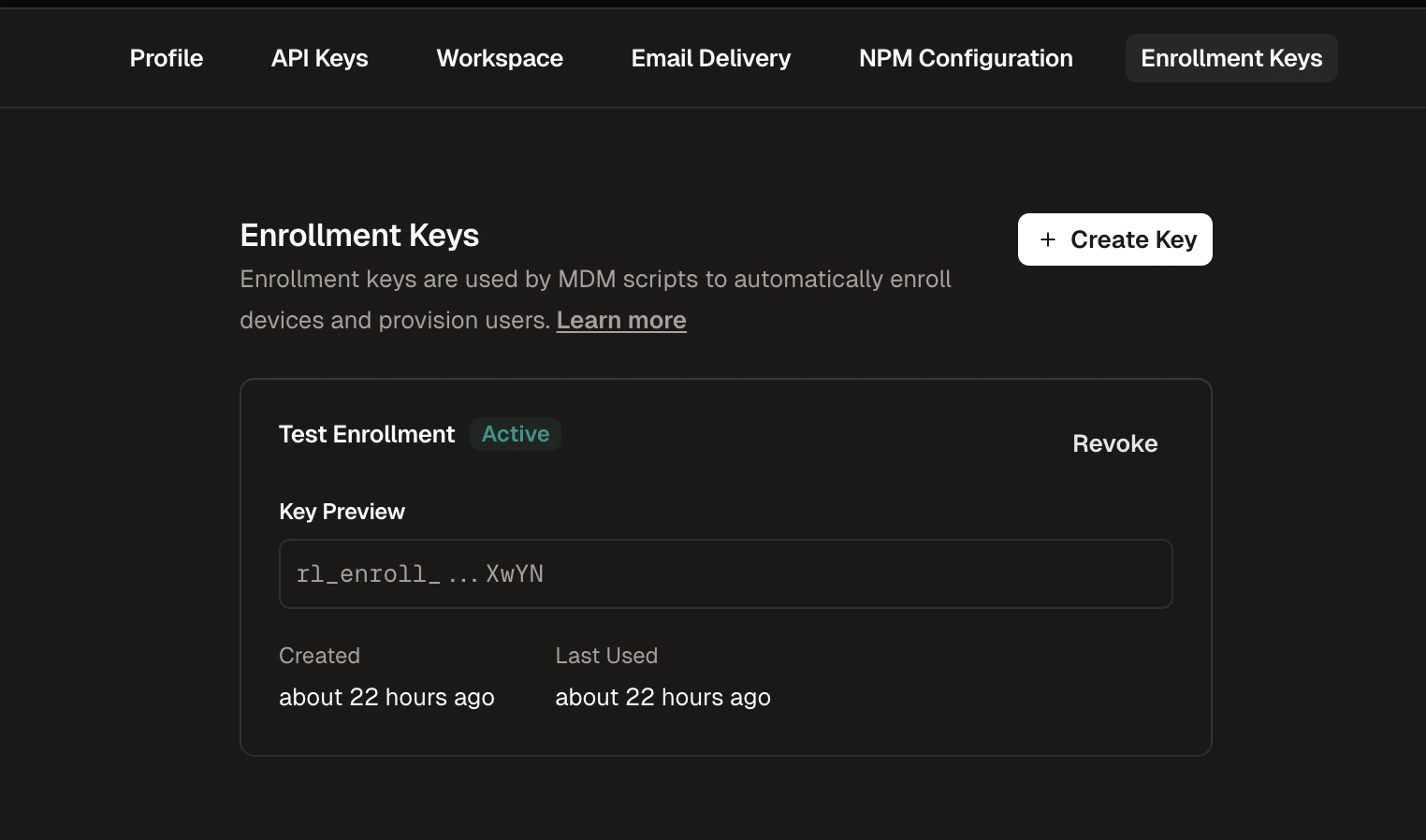
1
Navigate to Enrollment Keys
Go to Settings in the Runlayer dashboard and select the Enrollment Keys tab
2
Create a New Key
Click + Create Enrollment Key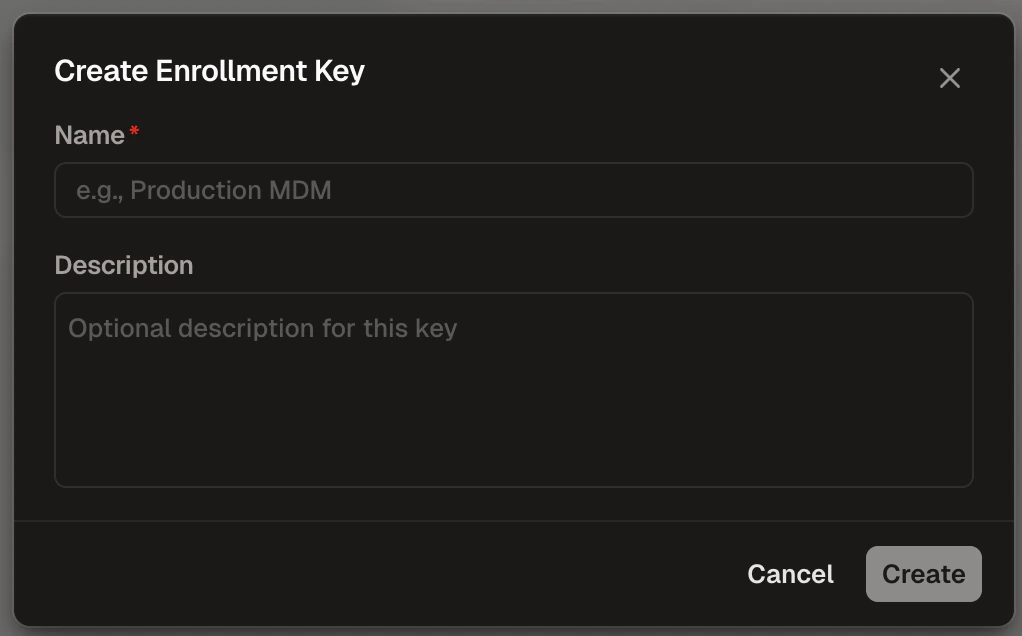
3
Configure the Key
- Name (required): Enter a descriptive name (e.g., “Production MDM”)
- Description (optional): Add context about the key’s purpose
4
Copy the Key
Copy the generated key (starts with 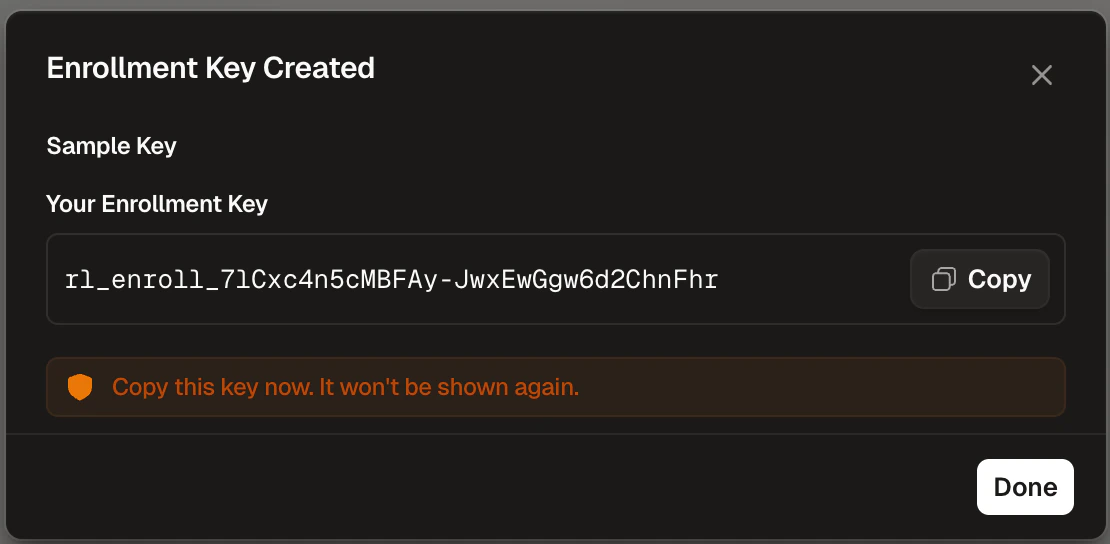
rl_enroll_) and store it securelyDeployment Steps
1
Generate the Script
Fill in your settings below to generate a deployment script.
ENROLLMENT_USERNAME: Jamf variable for user identity (e.g.,$EMAIL). Leave empty to use the device username.ENROLLMENT_DEVICE_NAME: Jamf variable for device name (e.g.,$COMPUTERNAME,$SERIALNUMBER). Leave empty to use the computer name.
2
Upload to Jamf Pro
- Navigate to Settings > Computer Management > Scripts
- Click New, paste the generated script
- Set Priority to “After”
- Save
3
Create a Policy
- Navigate to Computers > Policies > New
- Scripts: Add your uploaded script
- Scope: Select target computers or groups
- Trigger: Recurring Check-in, Login, or Enrollment Complete
- Frequency: Ongoing
- Save to deploy
With Trigger: Recurring Check-in and Frequency: Ongoing, the sync cadence is governed by your Jamf Pro global Recurring Check-in frequency (Settings → Computer Management → Check-In), which defaults to every 15 minutes. Each check-in re-runs the script and re-applies the full set of auto-synced connectors and plugins, so any local edits or deletions are reverted on the next check-in (see Can users remove synced MCPs?). Lengthening the global check-in interval slows how quickly config changes and local reverts propagate to devices. To validate on a single Mac without waiting for the interval, run
sudo jamf policy in Terminal to force an immediate check-in.Verification
Open a client application (e.g., Cursor) on a target device and confirm the synced MCP servers appear. Check policy execution status in Jamf Pro. If something went wrong, check/var/log/runlayer/auto_provisioning.log on the device.