Open the OneLayer plugin page in Runlayer and click Add to Organization.

Steps

1

Download runlayer.zip

Click Download zip.
2

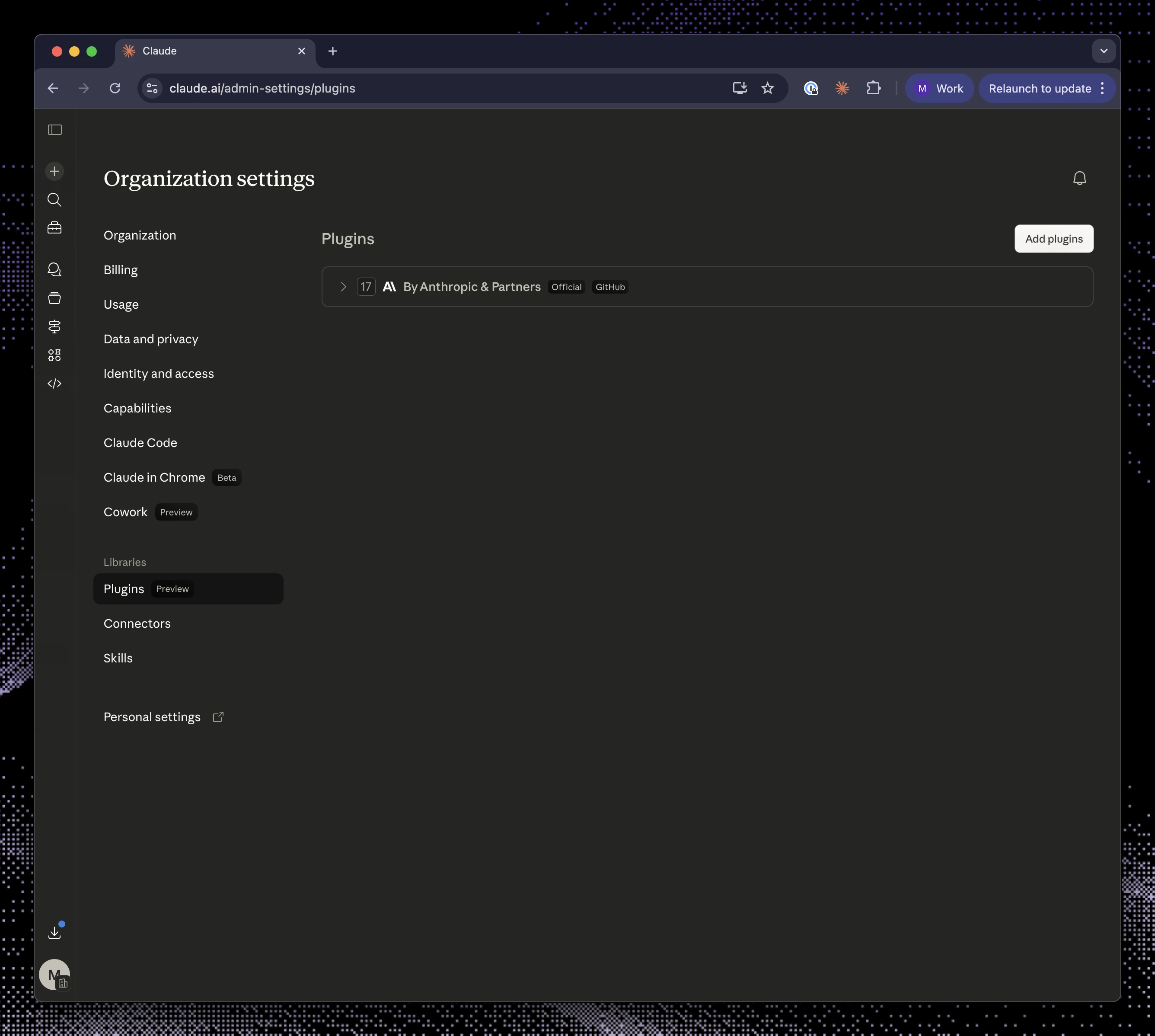
Open Claude admin plugin settings

Go to Claude admin plugin settings and click Add plugin.Claude admin plugin settings with the Add plugins button
3

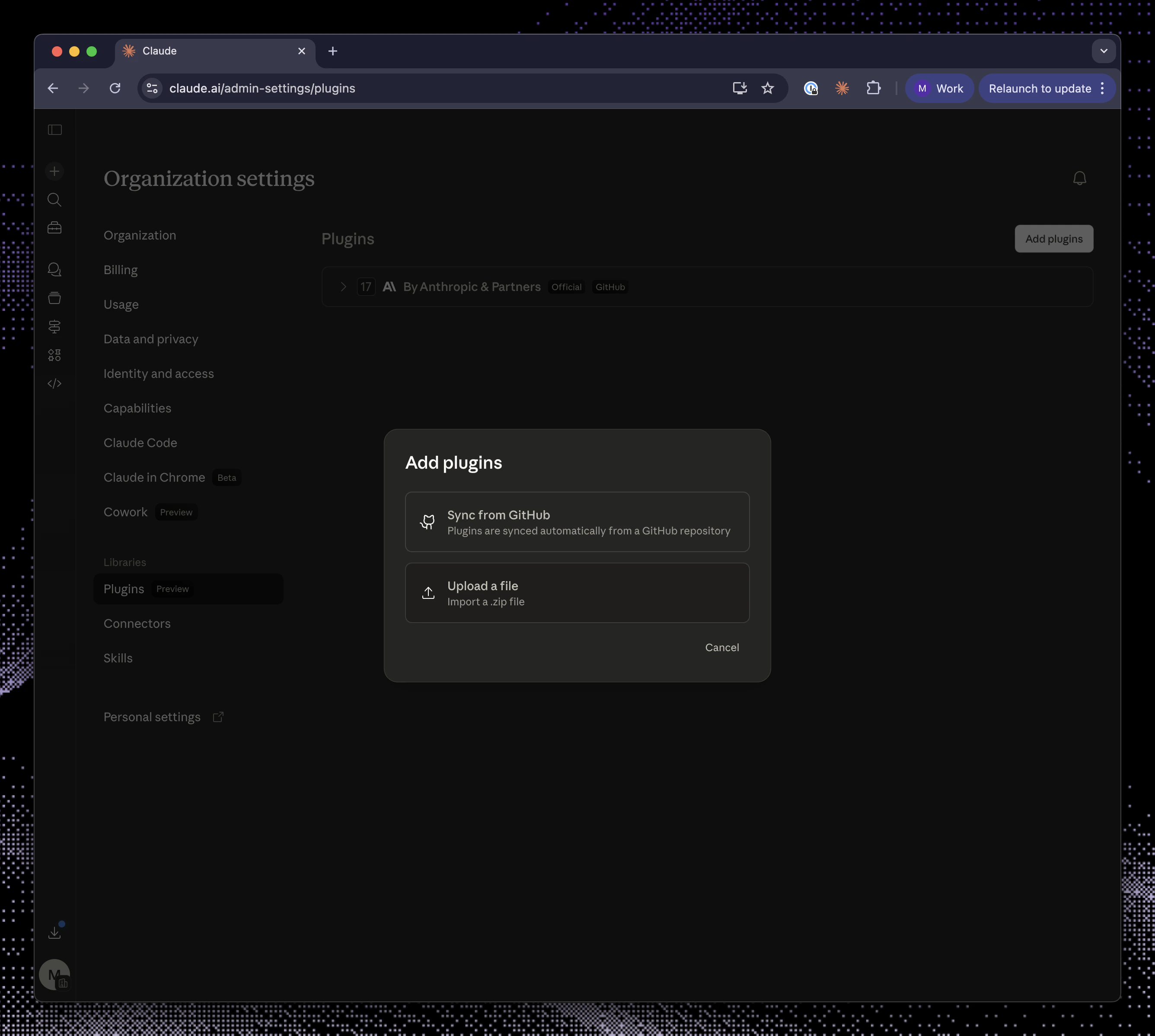
Select Upload a file

Choose Upload a file.Claude add plugins dialog with Upload a file selected
4

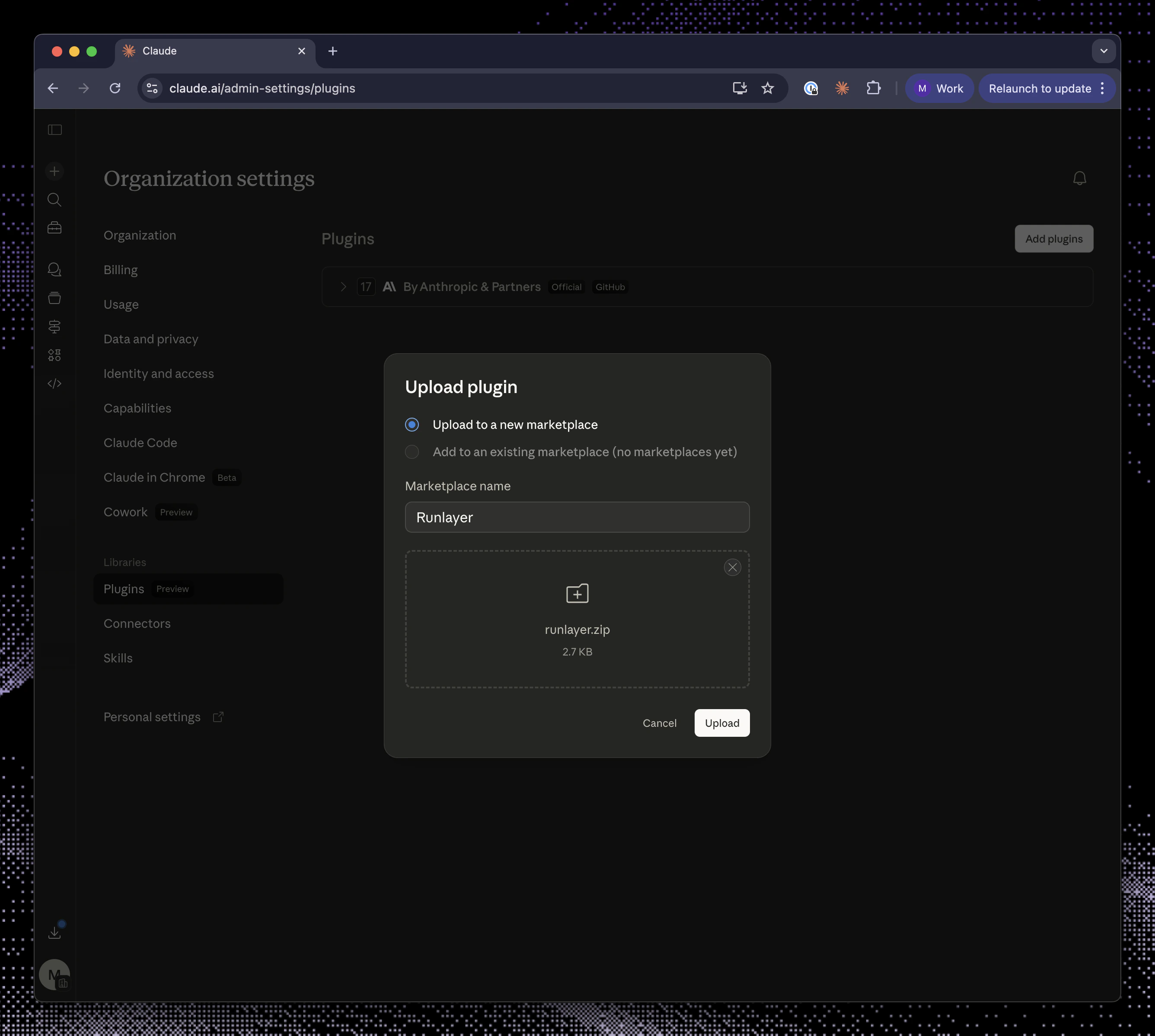
Upload the zip

Select runlayer.zip and click Upload.Claude upload plugin dialog with runlayer.zip ready to upload
5

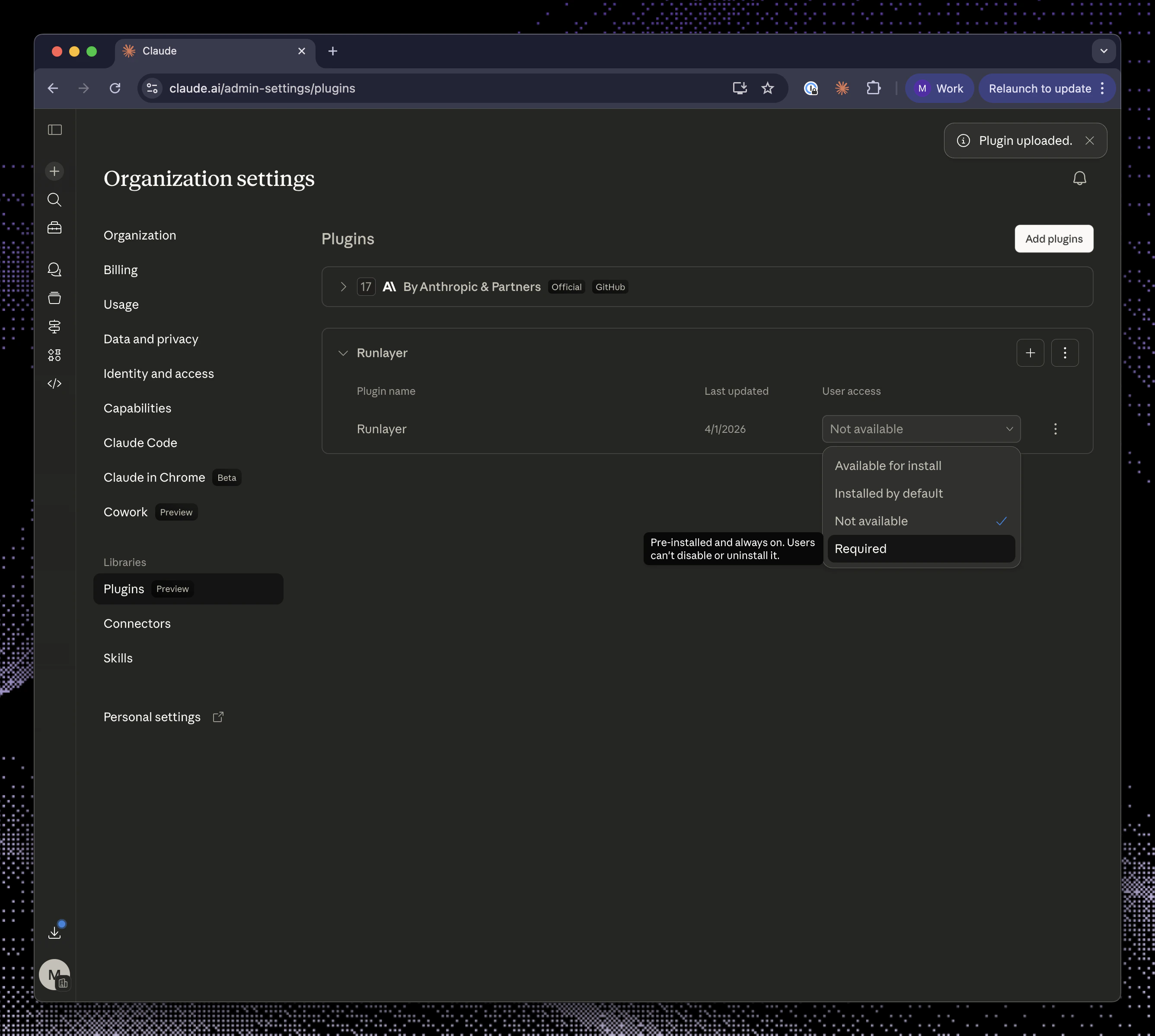
Require access

Change user access to Required.Claude plugin settings with user access set to Required